
Workflow Automation for Taxidermy Shops
Move the job forward and let MountMonitor handle the repetitive work around it. Client updates, portal status, payment plan charges, reminders, and QuickBooks entries all follow from the work you are already doing.
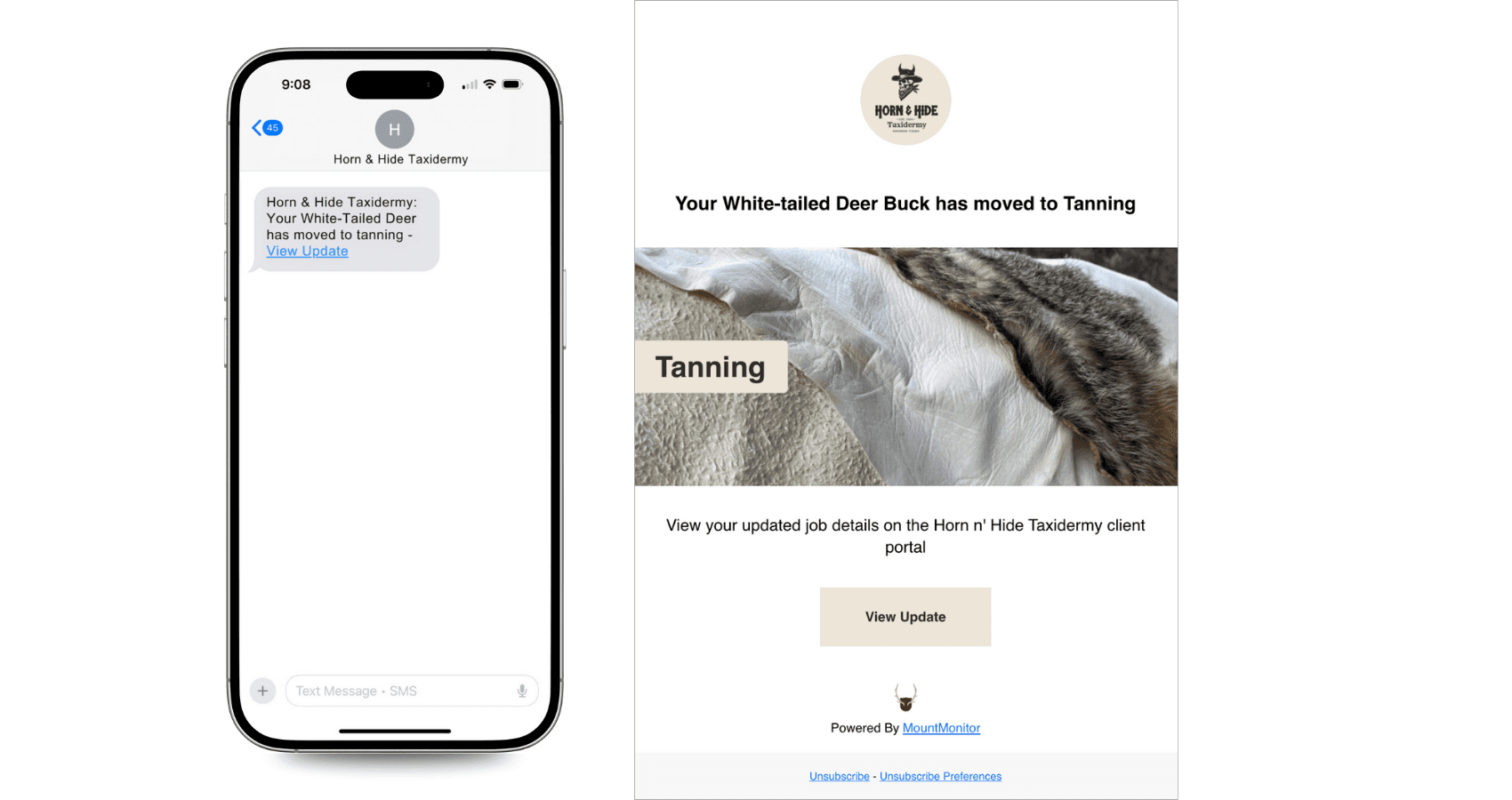
Stage-Triggered Updates
Move a job to a new stage and the client gets an SMS or email automatically. You choose exactly which stages send updates, and individual clients can have their own preferences.
Scan-Driven Progress
Connect locations to stages and a single tag scan can move the specimen, advance the job, and trigger the next client update. One action, three results.
Real Automatic Payment Plans
From the first payment through the final installment, MountMonitor automatically handles scheduled charges, retries, reminders, and plan completion.
Reminders, Retries & Follow-Up
Upcoming payments get reminders. Failed payments get retried, then the client is asked to update their card. Plans pause automatically after repeated failures.
A Portal That Updates Itself
The client portal always shows the current stage of every job. You work, it updates, and the status calls stop.
Invoices & QuickBooks
Invoice data is generated from the job you already entered, and customers, invoices, and payments sync to QuickBooks as you work.
Automation Beyond Email
Plenty of software calls a notification an automation. MountMonitor automates the workflow itself. Jobs get numbered automatically, stage changes write their own history records, scans move specimens and advance stages, and a job closes itself when every specimen reaches your completion stage.
Payments run on the same principle. A payment plan is a schedule of real card charges: collected automatically, retried after failures, followed up with the client, and completed without you touching it.
You stay in control of all of it. Turn email and SMS automation on or off, pick which stages notify, and set preferences per client. The automation follows your workflow, not the other way around.
See it in a real shop: how Turkey Mountain runs on scans and stages
What Runs on Autopilot
Around the job: new-job notifications, automatic job numbers, stage-change SMS and email, pickup-ready alerts, portal status updates, scan-driven stage advancement, automatic job completion when every specimen reaches the final stage, and a full history record of every change.
Around the money: invoices generated from job data, scheduled payment plan charges, upcoming-payment reminders, automatic retries and follow-up after failed payments, plan pause after repeated failures, plan completion after the final payment, and QuickBooks sync for customers, invoices, and payments as you work.
Around the conversation: every automated SMS and email is logged against the client and job with delivery status, email opens are tracked, opt-outs are handled for compliance, and clients with unread portal messages get a nudge.
Frequently Asked Questions
Does MountMonitor really charge payment plans automatically?
Yes. Payment plans are scheduled charges on the client's saved payment method. Clients get reminders before an upcoming payment, failed charges are retried and followed up automatically, and the plan pauses itself after repeated failures. Payment plans are available on Standard plans and up.
Can I choose which stages send client updates?
Yes. Email and SMS automation can be switched on or off separately, you pick exactly which stages trigger a notification, and individual clients can have their own preferences.
Can I customize the messages that go out?
Notifications use professionally managed templates so every message that leaves your shop looks polished. Larger shops on Pro and Master can have their messaging further tailored to their needs.
Does it sync with QuickBooks automatically?
Customers, invoices, and payments sync to QuickBooks as you work when accounting sync is enabled. QuickBooks integration is available on Standard plans and up.
Part of MountMonitor, the complete taxidermy software for managing jobs, clients, and payments in one place. New to the category? Read our taxidermy software guide.