
Know Where Every Specimen Is, Every Time
Print taxidermy-proof, fully scannable tags in seconds and track every specimen, cape, hide, and mount across your shop and at the tannery. Stop wasting time digging through freezers and losing parts.
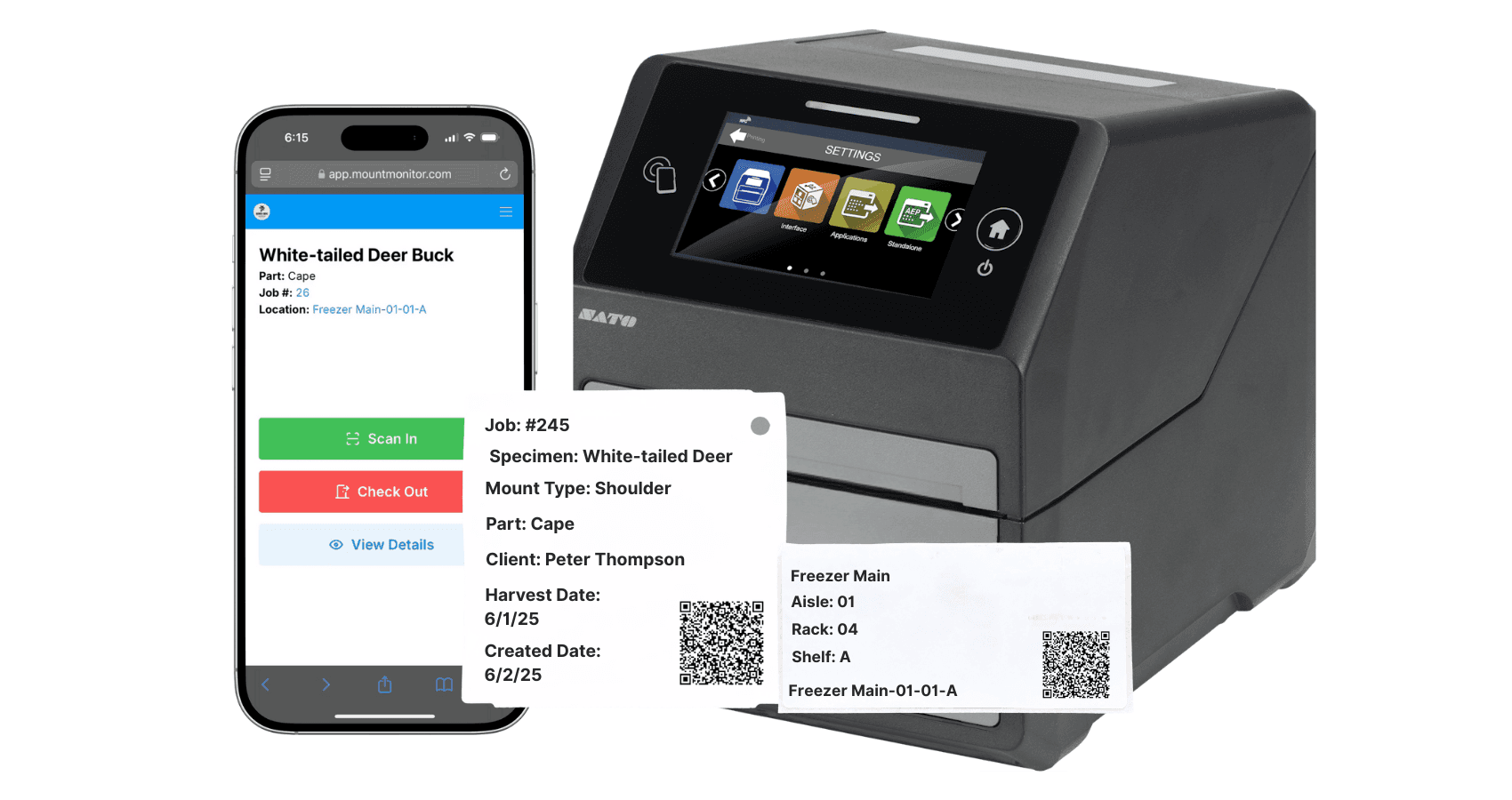
Scannable QR Tags
Generate and print QR-coded tags for every specimen and part. Scan with any device to instantly pull up the job, client, and part details.
Taxidermy-Proof Labels
Tags are designed to survive freezers, tanning solutions, and shop conditions. Durable labels that stay readable through the entire process.
Structured Locations
Create the locations and sub-locations that match your shop: freezer shelves, tanning room, drying racks, finishing area. Assign every specimen so you always know exactly where it is.
Multi-Part Specimen Support
A single job's cape, antlers, and skull plate each get their own tag and location. Track every part independently, or move them in bulk when they travel together.
Instant Lookup
Scan a tag and immediately see the full job record: client, species, stage, special instructions, and payment status. Everything in one scan.
Inventory Clarity
Get a clear picture of what's in your freezer, what's at the tannery, and what's ready for mounting. No more mystery bags or unlabeled capes.
End the Freezer Guessing Game
Every taxidermist has been there: standing in front of a packed freezer, pulling out bag after bag, trying to figure out which cape belongs to which client. Unlabeled parts, faded tags, and a system that relies entirely on memory.
MountMonitor fixes this. Every specimen gets a durable, scannable QR tag linked to the job record. Print tags in seconds, stick them on, and scan anytime to see what you're looking at and where it goes.
Assign locations to every part: freezer shelf 3, tanning room, drying rack B. Search by client, species, or location and get your answer instantly.
See it in a real shop: how Wood Wildlife knows what's in freezer 11
Track Specimens to the Tannery and Back
Build your tannery process directly into your workflow. Create locations like Sent to Tannery and Returned from Tannery, scan specimens out when they leave, and scan them back in when they return. Your tanning operations view shows exactly what is out of the shop at any moment.
Locations can be connected to workflow stages, so a single scan does three jobs at once: it updates the specimen's location, moves the job to the right stage, and triggers whatever client update that stage is configured to send.
The same system covers everything that moves: hides headed to the tannery, capes in the freezer, antlers on the rack, and finished mounts waiting for pickup. If it has a tag, you know where it is.
Frequently Asked Questions
Can MountMonitor track tannery shipments?
Yes, through locations built into your workflow. Scan specimens into a Sent to Tannery location when they leave and back into your shop when they return. Reporting shows exactly which specimens are at the tannery at any time, and a returning scan can automatically advance the job to its next stage.
What can I track with specimen tracking?
Capes, hides, antlers, skull plates, whole mounts, and any other part that moves through your shop. Each part gets its own QR tag and location, and multi-part jobs track every piece independently.
Will the tags survive the freezer and tanning?
Yes. Tags are designed to be taxidermy-proof. They hold up in freezers, tanning conditions, and general shop wear so they stay scannable through the whole process.
Can a scan move the job forward automatically?
Yes. Locations can be linked to workflow stages, so scanning a specimen into a location can advance the job and trigger the automated client updates configured for that stage.
Which plans include Track & Trace?
Track & Trace and QR tag printing are available on the Pro and Master plans. See the pricing page for current details.
Part of MountMonitor, the complete taxidermy software for managing jobs, clients, and payments in one place. New to the category? Read our taxidermy software guide.